
Project Mode vs. Free Mode
VIOSO offers two operating modes: “project mode” and “free mode”.
The project mode offers an easy-to-use workflow for the vast majority of projection scenarios. This makes it less flexible. Free mode corresponds to the behaviour of the calibrator as known from the previous versions. It offers all functionalities, but may require more programme knowledge and experience.
Comparison of both modes
Section titled “Comparison of both modes”| project mode | free mode |
|---|---|
|
|
Limited functionality:
|
More complex operation:
|
Project mode (recommended usage):
Section titled “Project mode (recommended usage):”A calibration is understood as a project consisting of several steps that are processed one after the other.
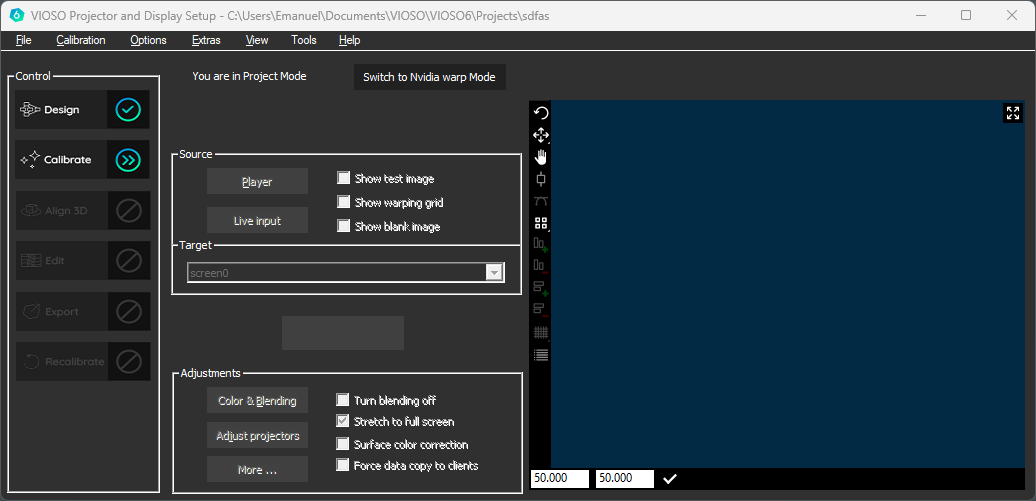
VIOSO 6 in project Mode
These individual steps are in a complex relationship with each other, whereby the project mode automatically takes over the necessary tasks (conversions, intermediate storage, script generation). Project mode is therefore very convenient and safe to use for the user. Project mode covers the majority of VIOSO use cases and is recommended for the following application scenarios:
- Single Camera
- Single Client and Multi Client
- 2D and 3D calibration
- Export to common media servers and video players
- Desktop Hooking (NVIDIA Mosaic) => one desktop
A project is a collection of files, which is why projects are saved as a directory. The default storage location is
[User Documents]/VIOSO6/VIOSO/projectsFree Mode
Section titled “Free Mode”Before VIOSO was released, the “VIOSO Calibrator” was available as a standalone version or as part of the Anyblend suite.
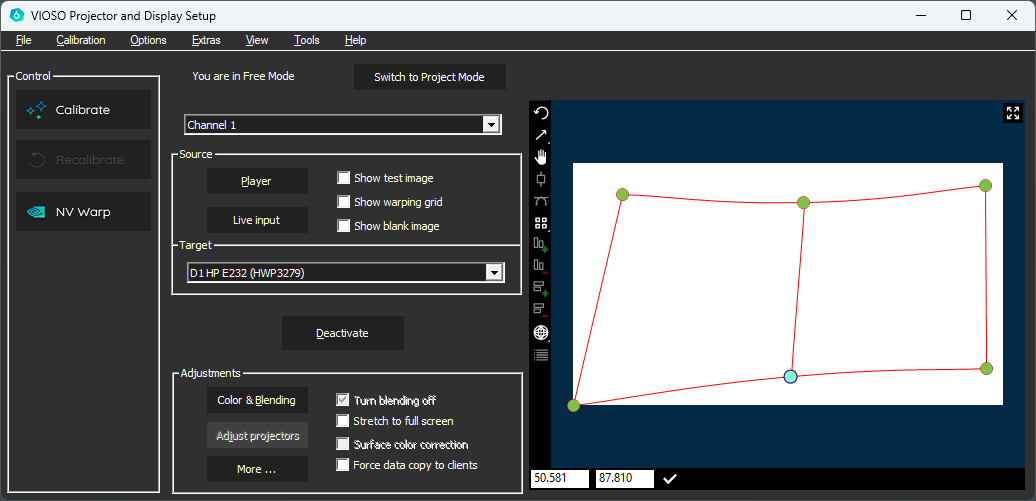
VIOSO 6 in Free Mode
The “Free Mode” corresponds to this behavior. VIOSO offers all functionalities and maximum flexibility in the use of all features. However, this makes operation more complex, as you are in control of logical dependencies and the use of functionalities. Free mode is recommended for the following application scenarios:
- multiple calibrations (including desktop hooking)
- Experienced users who already know how to operate the calibrator
- Complex simulation and video scenarios (especially multiple calibrations)
- Scenarios that require advanced scripting and automation functions
In free mode, the main data are saved in *.sps files, these files resemble a calibration and complementary meta data. Scripts and other auxiliary files are handled manually by the user.
The default storage location is
[User Documents]/VIOSO6/VIOSO/Switching modes
Section titled “Switching modes”The operation mode of VIOSO can be switched nearly anytime during the program’s runtime.

Please note that when changing modes, the memory files, in particular the calibrations, also change. This means that not only the mode itself is changed, but also the entire calibration project.