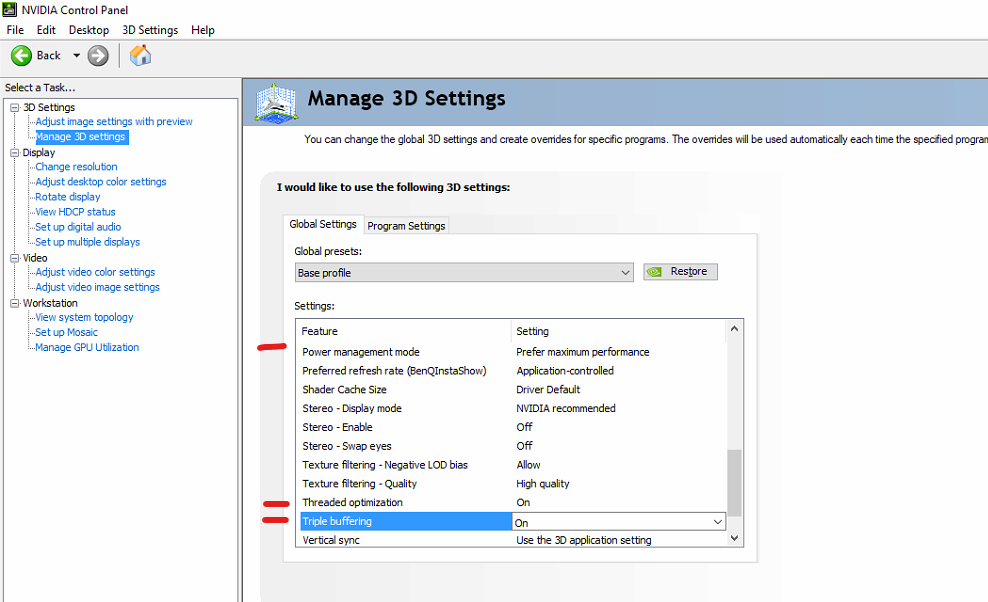
3D Settings for video playback
For using NVIDIA RTX/Quadro GPUs for video playback solutions, we recommend a couple of settings to be done in the general 3D settings.
- Open the Nvidia Control Panel (right click on the desktop)
- Go to
Manage 3D settings - In the first tab
Global settings, scroll down to find the optionPower management modeand set it toPrefer maximum performance - Find the option
Threaded optimizationand set it toOn - Find the option
Tripple bufferingand set it toOn - Reboot computer